AI Copilot
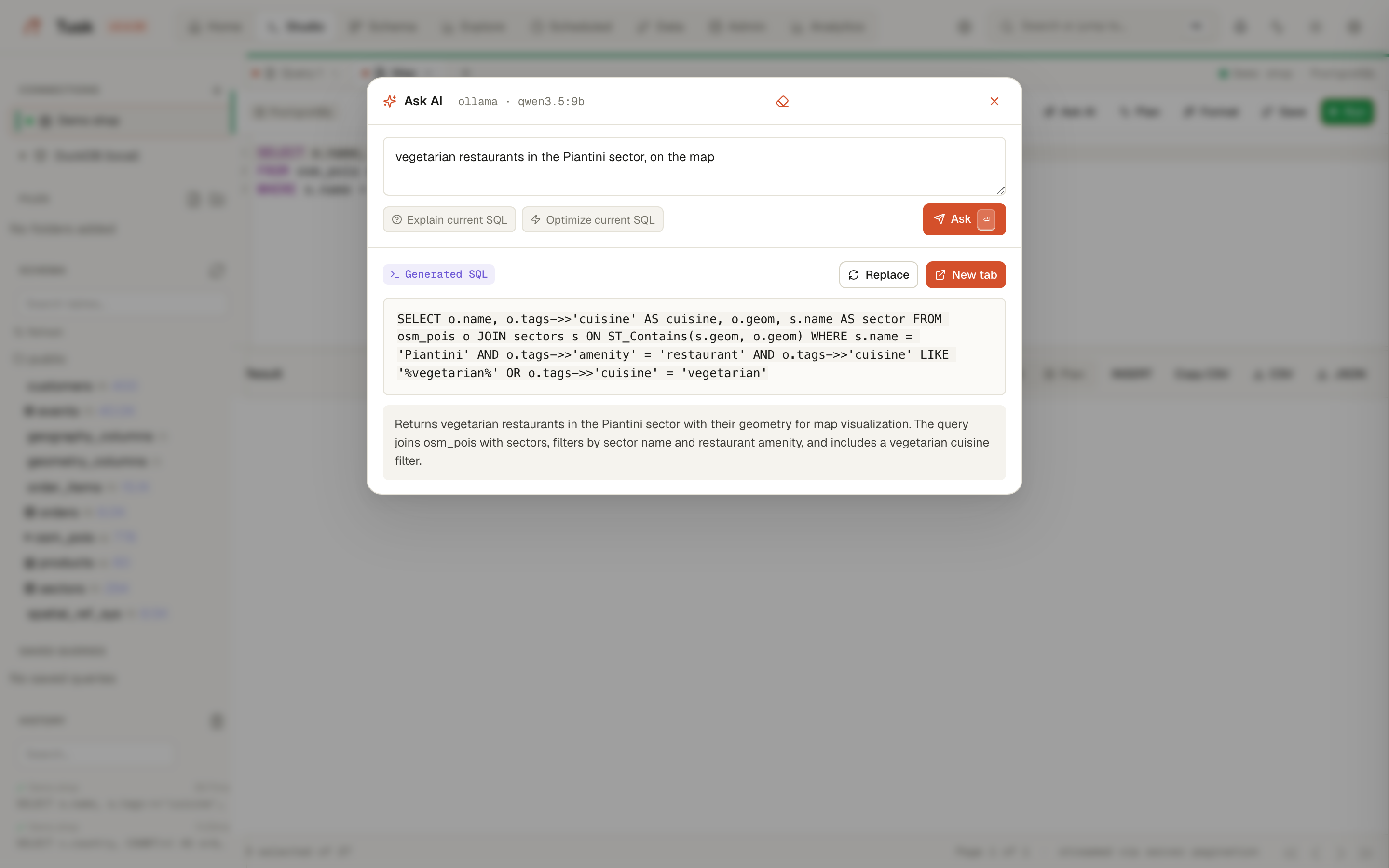
Ask a question in plain language, get SQL for the connection you are on, open it in a new tab, run it. The Copilot also explains a query, reads an EXPLAIN plan (Studio), and answers agents through the MCP server with the same grounding.
It runs against your provider: Ollama on your machine or LAN, any OpenAI-compatible endpoint, or Anthropic. Configure it in Settings → AI; nothing leaves your network unless you point it outside.
What the model is told
The difference between a useful answer and a confident hallucination is what goes into the prompt. For every question the Copilot builds:
- Available tables — every table with its column and row counts, the ones matching the question first.
- Detailed schema — columns, types, primary and foreign keys for the tables the question names (plus one FK hop), within a size budget.
- Spatial (PostGIS databases) — the PostGIS version, every geometry and geography column with its type and SRID, tables with lat/lon columns, and a short PostGIS cheat sheet. Tables with geometry are always detailed: a question about restaurants never names the OSM table.
- Column values (sampled) — for
jsonbcolumns (OSM-style tag bags) and categorical text columns, the keys and values that actually occur:amenity: restaurant | cafe | bar,diet:vegetarian: yes | only. Categorical keys come first; names, addresses, contacts and dates are left out. Sampled from 5 000 rows, cached ten minutes per connection. - Places mentioned in the question — capitalised words and phrases are looked up in tables that look like places (a polygon or point plus a name column). The prompt then says "Piantini" → sectors.name = 'Piantini' (geometry column: geom), so the model filters on the exact value instead of guessing the spelling or the casing.
- Previous turns of the conversation on this connection.
Example on the demo database (OpenStreetMap POIs of Santo Domingo plus neighbourhood polygons), with a 9B local model:
quiero que me enseñes todos los restaurantes de tipo vegetariano que se encuentren en el sector Piantini
SELECT o.name, o.tags, o.geom, s.name AS sector_name
FROM osm_pois o JOIN sectors s ON ST_Contains(s.geom, o.geom)
WHERE s.name = 'Piantini'
  AND o.tags->>'amenity' = 'restaurant'
  AND o.tags->>'diet:vegetarian' IN ('yes', 'only')
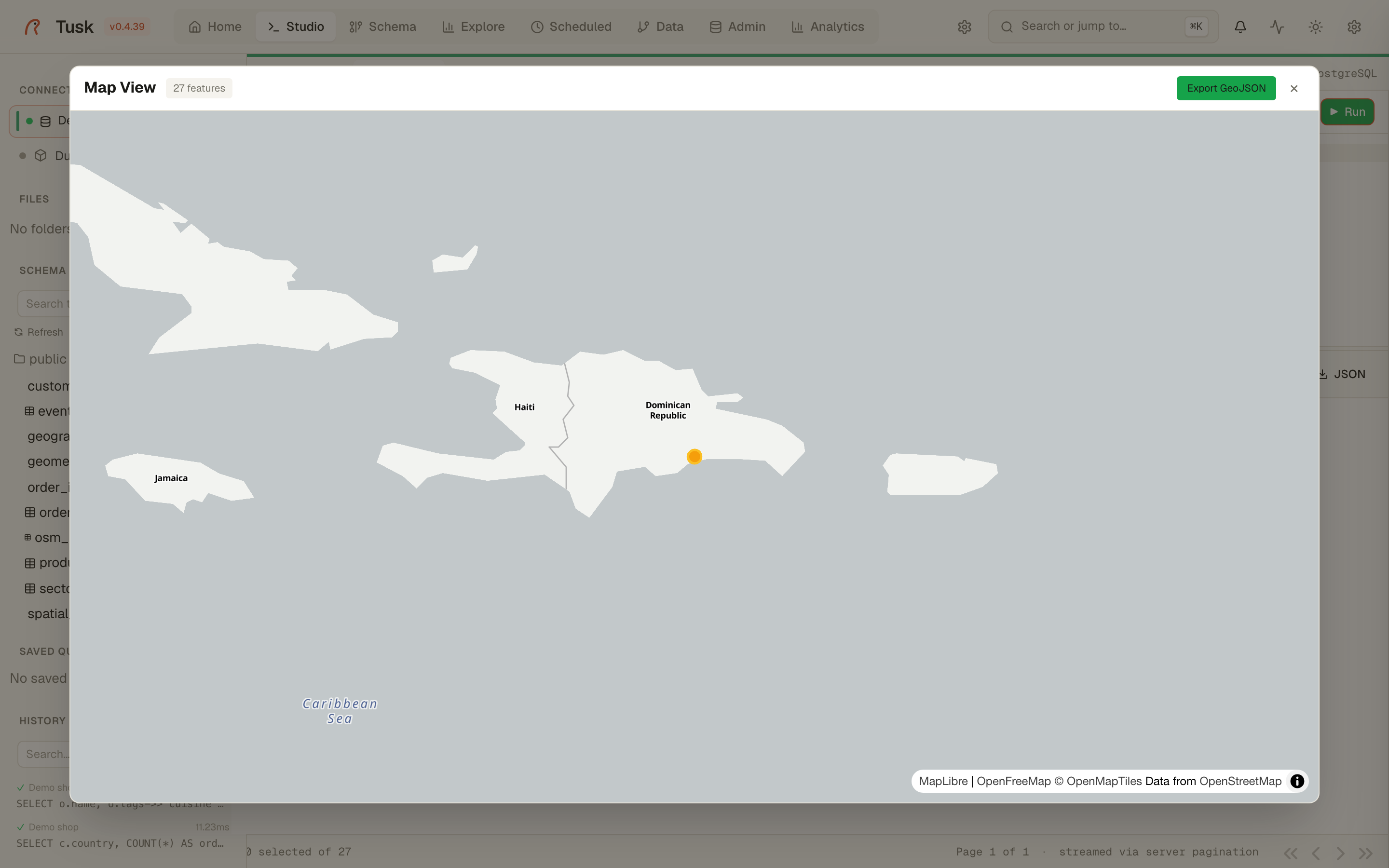
Because the SELECT keeps the geometry, Studio opens the map view when the query runs.
Checked before you see it
Every generated SELECT is run through EXPLAIN on the connection — never
executed — so PostgreSQL itself resolves the tables, columns and
functions. If it rejects the SQL because something does not exist, the
error goes back to the model once with the schema; the card then shows
either checked against the database or PostgreSQL rejected it with
the reason, and confidence is forced to low. A local model can still
choose the wrong column among existing ones, but it can no longer invent
one.
Then the joins are checked against the foreign keys. Every
a.x = b.y (and JOIN … USING) in the generated SQL is resolved to real
columns and looked up in the catalog: a join that follows a foreign key,
in either direction, passes; two existing columns with no foreign key
between them are reported as join without a foreign key, and two
columns whose types cannot match (integer = text, uuid = integer) as
join types don't match. When something is reported, the model gets the
list of foreign keys of the tables involved and one chance to rewrite,
typically by going through the linking table it skipped; if it keeps the
join it has to say why. The card names the offending join, confidence
drops to medium (no foreign key) or low (types), and joins the
checker cannot resolve, through a CTE or a subquery, are simply not
counted.
Limits, honestly
- The grounding is only as good as the data: a
tagscolumn full of empty arrays profiles to nothing. - Small models still pick the wrong column among existing ones now and then; the dry run catches invented ones and the join check catches joins the schema does not support, not a wrong-but-plausible filter. Treat low as "ask which table".
- Place lookup is by name, case-insensitive, first table with a hit. Two
areas with the same name (a province and a district) are both listed;
the model picks, and the
level/kindcolumn shown next to each match is there to help it. - Prompts are capped at 4 096 characters and the Ollama context at 16k
tokens (
TUSK_AI_NUM_CTX); a grounded prompt on a 200-table database is around 4k tokens.
Memory and audit
Conversation turns are stored per connection and per browser session
(Clear memory in the panel forgets them). Prompts that try to plant
instructions for later turns are rejected. tusk ai stats reports how
often generated SQL was kept, edited or discarded.