Data
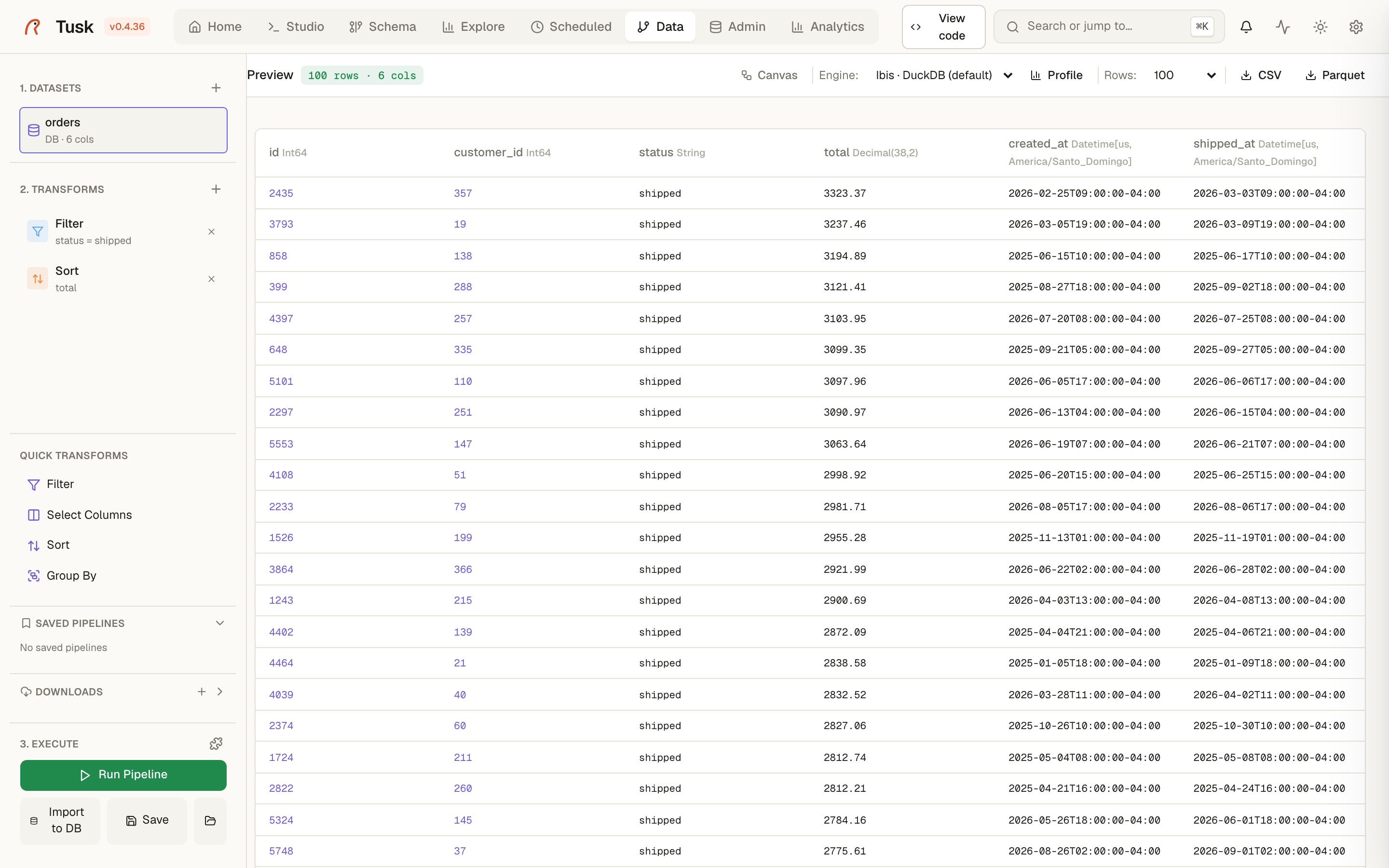
The Data page is a small, visual ETL: load something, apply a few transforms, look at the result, and either export it, import it into PostgreSQL, or save the whole thing as a pipeline that Scheduled can run every night. Polars does the work in-process; nothing is staged in a database unless you ask for it.
Sources
- Files — CSV, Parquet, JSON, XML, ZIP, and geodata: GeoJSON, GeoPackage, Shapefile, FlatGeobuf, KML, GML (read through DuckDB spatial; the geometry arrives as WKT text, so every transform and the map preview work on it).
- PostgreSQL — a table, or a custom query, from any connection.
- DuckDB / SQLite — a database file.
- Open Data — public sources (OpenStreetMap layers by bounding box, government catalogs) fetched by the download manager.
- Plugin datasets — anything a plugin publishes.
Transforms
Filter, select and rename columns, sort, limit, distinct, drop nulls, computed columns from an expression, group-by aggregations, window functions (rank, row number, lag/lead, cumulative sums), join with a file or another dataset, union/concat. Each transform shows its effect immediately in the preview.
Generated code shows the equivalent Polars script for the pipeline — copy it into a notebook when the visual editor is not enough.
Outputs
- Export to CSV, Parquet (optionally partitioned) or GeoJSON.
- Import to database — create or append to a PostgreSQL table
(streamed, so large files do not need to fit in memory twice). On a
PostGIS database, geometry text (WKT, GeoJSON, hex WKB) or a lat/lon
pair becomes a real
geometry(Geometry, 4326)column with a GIST index, so an OSM extract or a GeoJSON lands ready for spatial joins. - Materialize into DuckDB for analytics.
- Save pipeline — the source + transforms, replayable from the page or from a scheduled job. Pipelines are stored per user.
Limits worth knowing
Uploads are rate-limited (10/min) and cleaned from the temp folder with exports. Very wide transforms on files larger than memory are not the target here — that is what DuckDB in Studio is for.